
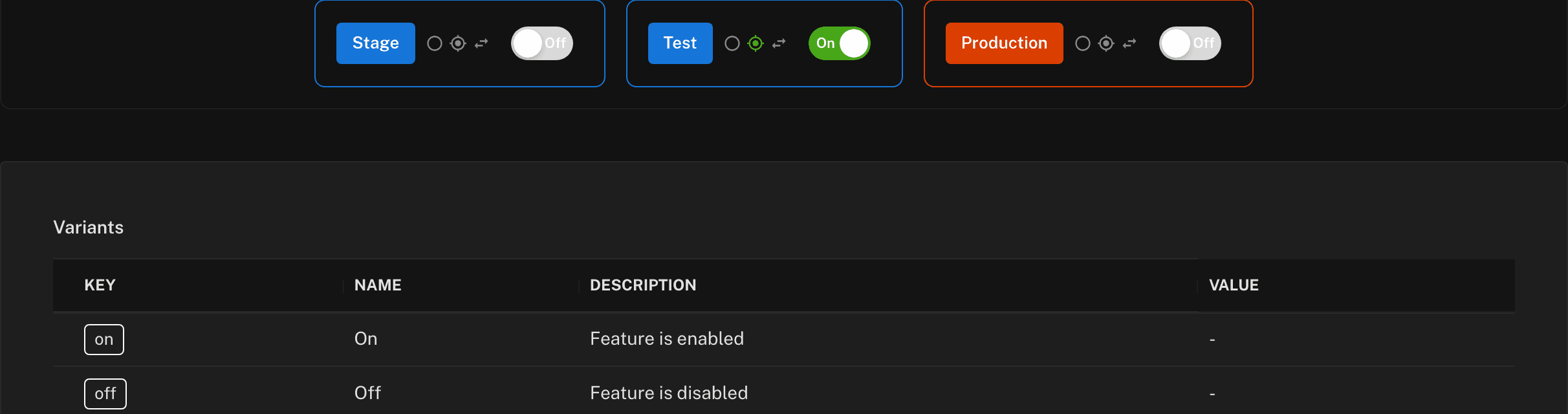
Turn a bad feature off without shipping a hotfix
When something breaks in production, the clock starts. Set the feature to off, leave the deployment exactly where it is, and go and read the logs properly.
The problem is the blast radius, not the bug
Every team has shipped a bug. What makes an incident expensive is that the only lever available acts on the whole release.
Rollback or hotfix
- Roll back, and three other teams lose work they shipped in the same build
- Hotfix forward, and you write code under time pressure with an audience
- Both wait on the full build pipeline while the incident runs
- The decision to run a feature is baked into the artifact
Kill switch
- One feature goes off; the deployment stays exactly where it is
- The code stays shipped — only the path through it changes
- Turn it back on for one user, then a segment, then everyone
- The fix stops being a deployment and becomes a change of value
In your code
There is no special kill-switch API
const featureflow = new Featureflow.Client({
  apiKey: process.env.FEATUREFLOW_SERVER_KEY,
});

app.post('/checkout', (req, res) => {
  const user = new Featureflow.UserBuilder(req.user.id)
    .withAttribute('country', req.user.country)
    .build();

  if (featureflow.evaluate('new-checkout', user).isOn()) {
    return newCheckout(req, res);
  }

  return legacyCheckout(req, res);
});
Failover
A kill switch you cannot reach is not a kill switch
Defaults to off
Name no failover variant and it is off. A feature that never loaded stays off rather than quietly switching itself on.
The 3am behaviour you want
The opposite of a home-grown flag backed by an environment variable.
new Featureflow.Client({
  apiKey: process.env.FEATUREFLOW_SERVER_KEY,
  withFeatures: [
    // rules unavailable? this feature is off
    new Featureflow.Feature('new-checkout').build(),
    // ...and this one stays on
    new Featureflow.Feature('rate-limiter', 'on').build(),
  ],
});
A kill switch separates stopping the bleeding from fixing the bug.
Who is allowed to pull it
An off switch anyone can reach is its own risk. Featureflow puts controls around the flip rather than around the person.
Role-based write permissions
Enforced server-side, so hiding a button is not the security model.
Approval workflows
Require sign-off before a change applies in a given environment. Dev and test stay fast; production gets a second pair of eyes.
Audit trail
Who changed what, where, and when. The incident review gets a record rather than a memory.
All three are on every plan, including Free — including the ones most of the market reserves for a top tier.
Frequently asked questions
How fast does a kill switch actually take effect?
Server-side SDKs hold the rules in memory and poll for changes, so the new value applies from the next poll — no restart, no redeploy. Client-side SDKs read a pre-evaluated, CDN-cached payload and pick the change up on their next fetch. Timing depends on your poll interval, not your build pipeline.
What if Featureflow is unreachable when I need to kill a feature?
Rules are cached locally, so an outage does not change how your application behaves. You can also pre-register features with a failover variant, which defaults to 'off'. A feature that has never successfully loaded stays off rather than switching itself on.
Is a kill switch the same as a rollback?
No, and that is the point. A rollback reverts an entire deployment, taking every other change in that build with it. A kill switch turns off one feature and leaves the deployment in place. The code stays shipped; only the path through it changes.
Can I stop the wrong person flipping a production flag?
Yes. Write permissions are role-based and enforced server-side, not hidden in the UI, and you can require approval before a change takes effect in a given environment. Every change is recorded with who made it and when — on every plan, not just enterprise.
Do I need a separate kill switch flag for every feature?
Usually not. The flag you used to roll the feature out is the flag you use to turn it off. Some teams add a coarser flag around a whole subsystem too, for when the problem is a shared dependency rather than one feature.
Where should I put a kill switch?
The useful rule: anywhere the failure would be someone else's problem. New third-party integrations, the write path of a migration, anything touching payments, and any feature that meaningfully increases load are the four that earn their keep most often.
Put a kill switch on your next release
Free forever tier, no credit card. Wrap one risky feature and find out what it feels like to have an off switch.
What else Featureflow solves
Progressive rollout
Reach 1% of users before you reach all of them
Release pipelines
The rollout process runs itself instead of being remembered
Approvals & audit
Answer 'who changed production?' without an enterprise contract
Remote config
Change settings without a deploy or an app store review
Mobile releases
Update the app your users already installed
A/B testing
Split traffic and record what each variant actually did