
What Are Feature Flags? The Complete Guide
Everything you need to know about feature flags: what they are, how they work under the hood, the four flag types, working Node.js and React examples, and the practices that keep flags an asset instead of debt.
A feature flag (also called a feature toggle) is a software technique that turns functionality on or off at runtime, without deploying new code. Flags decouple deployment - shipping code to production - from release - making it visible to users. That separation lets teams ship continuously, roll features out gradually to targeted users, and switch a misbehaving feature off in seconds instead of rolling back a deploy.
What is a feature flag?
At its simplest, a feature flag is a conditional in your code whose outcome is controlled from outside your code:
if (featureflow.evaluate('new-checkout', user).isOn()) {
  // show the new checkout flow
} else {
  // show the existing checkout flow
}
The interesting part isn't the ifstatement - it's where the answer comes from. Instead of a hard-coded boolean or a config file that requires a redeploy to change, the flag's value is determined by rules you manage centrally: turn it on for everyone, for 5% of users, for your QA team, for customers in Australia, or for a single account that reported a bug. Change the rule and every running instance of your application picks it up within seconds.
You'll also hear the terms feature toggle, feature switch, and feature gate - they all describe the same technique.
Deploying is not releasing
The core idea behind feature flags is that deployment and release are different events, even though most teams treat them as one.
- Deployment is a technical act: your code reaches production servers.
- Release is a business act: users can see and use the feature.
Without flags, the two are welded together - the moment code deploys, users get it, and the only undo is another deploy. With flags, code ships to production dark (off for everyone), and release becomes a separate, reversible decision made in a dashboard: who gets it, when, and how fast. Engineering keeps a fast, boring pipeline; product controls exposure. This is the foundation of continuous delivery and progressive delivery, and it's why feature flags have become standard practice at high-performing engineering organisations.
How feature flags work
A feature flag system has four moving parts:
- A flag definition - a stable key like
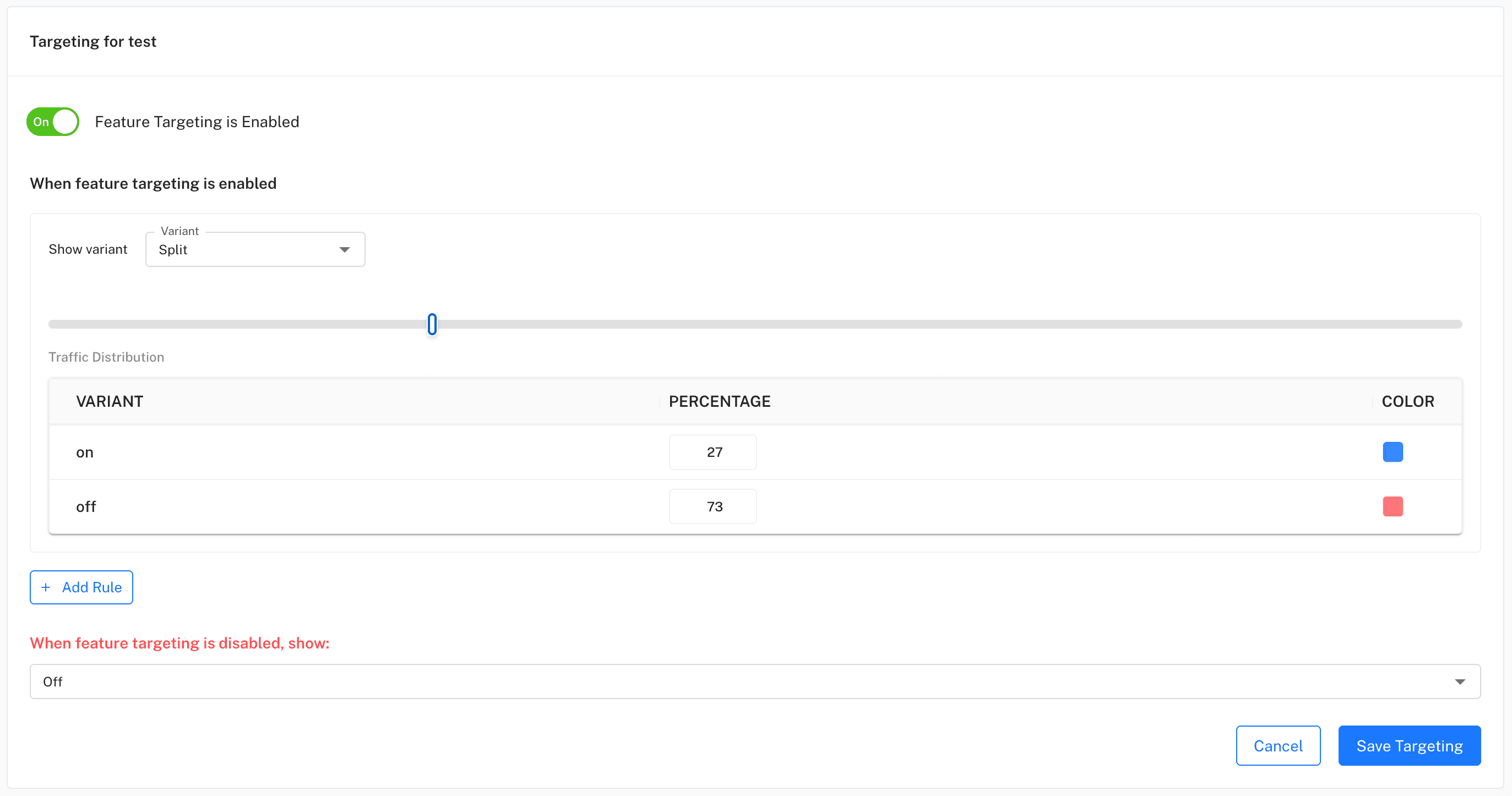
new-checkoutwith two or more variants. Most flags are boolean (on/off), but multivariate flags can serve any number of variants for experiments. - Targeting rules - managed in a dashboard, per environment. Rules match on user attributes (plan, country, role, account ID) and can split traffic by percentage. Percentage rollouts are deterministic: the same user hashes into the same bucket every time, so nobody flip-flops between variants mid-session.
- An SDK in your application - evaluates flags where your code runs. Server-side SDKs (Node.js, Java) download the full ruleset once and evaluate every flag locally in memory - an evaluation is a function call, not a network round-trip. Client-side SDKs (JavaScript, React, mobile) fetch pre-evaluated results for the current user from an edge CDN, so no rules are exposed in the browser.
- A real-time update channel - when someone changes a rule, connected SDKs receive the change via server-sent events within seconds. No restart, no redeploy, no cache flush.
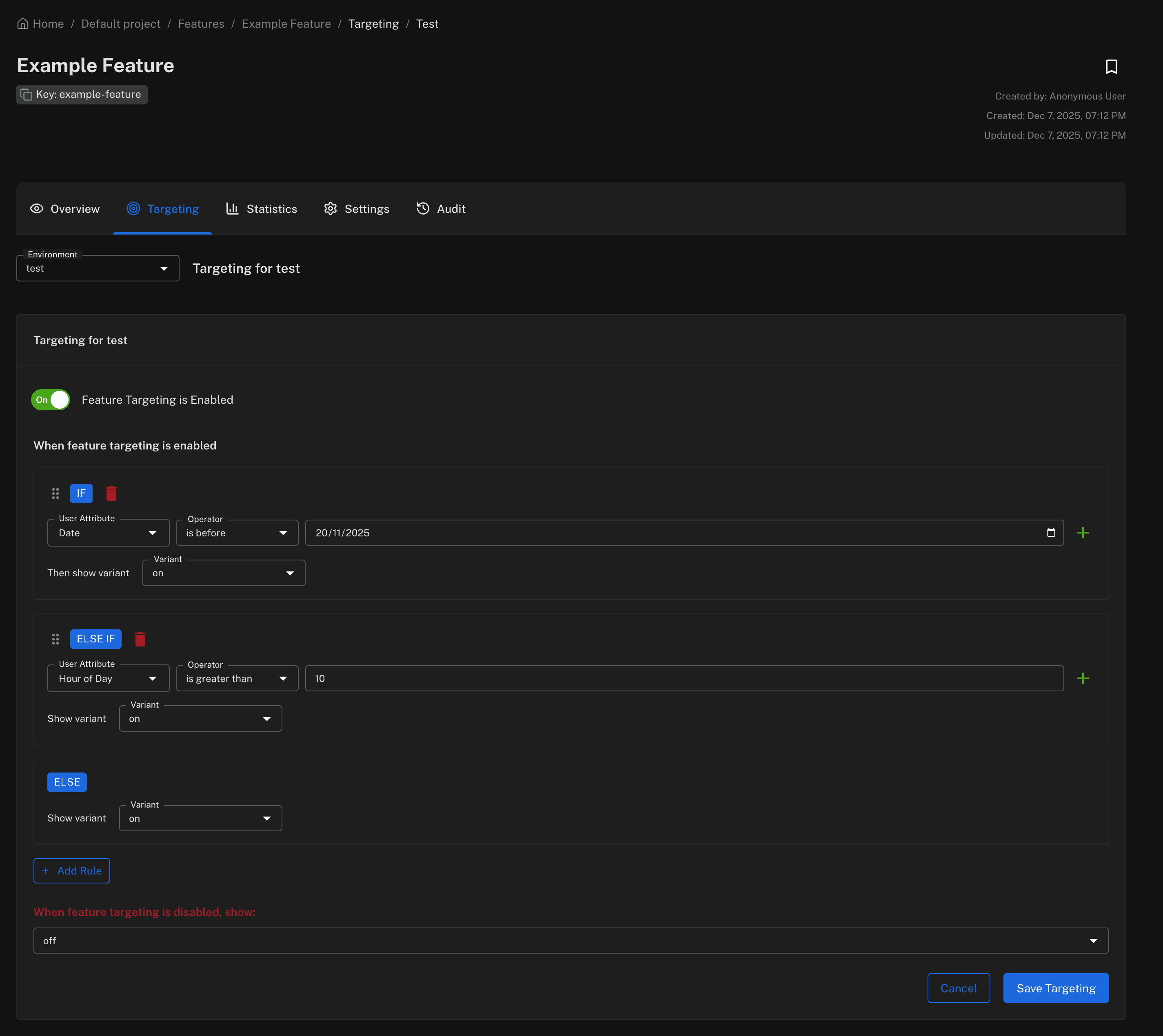
Every evaluation also feeds analytics, so you can see which variant each user received, and every rule change is written to an audit trail - who changed what, where, and when.
The four types of feature flags
Not all flags are alike - they differ in how long they live and who controls them. Knowing which type you're creating tells you how to manage it:
| Type | Purpose | Lifespan | Example |
|---|---|---|---|
| Release | Ship incomplete or risky work dark, then roll it out gradually | Days–weeks, then removed | New checkout flow at 10% of traffic |
| Operational | Control system behaviour under load or during incidents | Long-lived | Kill switch on a third-party recommendation service |
| Experiment | Split traffic between variants and measure impact | Until statistically significant | Pricing page copy A vs B |
| Permission | Gate functionality by plan, role, or account | Permanent | Advanced reporting for enterprise tier |
The distinction matters most at cleanup time: release and experiment flags are temporaryand should be deleted once they've served their purpose, while operational and permission flags are part of your product's permanent control surface. (If you find yourself building lots of permission flags, also read feature flags vs entitlements.)
Feature flags in Node.js
Here's what this looks like in practice with the Featureflow Node.js SDK. Install it, create a single shared client, and evaluate flags against a user:
npm install --save featureflow-node-sdkimport Featureflow from 'featureflow-node-sdk';
// One client for your whole app - it loads your environment's
// rules at startup and receives updates in real time.
const featureflow = new Featureflow.Client({
apiKey: process.env.FEATUREFLOW_SERVER_KEY,
});
// Describe the current user so targeting rules can match them
const user = new Featureflow.UserBuilder('user-42')
.withAttribute('country', 'AU')
.withAttributes('roles', ['BETA_CUSTOMER'])
.build();
// Evaluate - this is a local, in-memory check
if (featureflow.evaluate('new-checkout', user).isOn()) {
renderNewCheckout();
} else {
renderClassicCheckout();
}For resilience you can pre-register flags with failover variants, so your code has a defined behaviour even if the SDK has never managed to connect:
const featureflow = new Featureflow.Client({
  apiKey: process.env.FEATUREFLOW_SERVER_KEY,
  withFeatures: [
    new Featureflow.Feature('new-checkout', 'off').build(),
  ],
});
Feature flags in React
On the client, the React SDK provides a provider and hooks. Wrap your app once, then evaluate flags in any component:
npm install --save react-featureflow-clientimport {
withFeatureflowProvider,
useFeatureflow,
} from 'react-featureflow-client';
function Checkout() {
const featureflow = useFeatureflow();
if (featureflow.evaluate('new-checkout').isOn()) {
return <NewCheckout />;
}
return <ClassicCheckout />;
}
// One provider at the top of your component tree
export default withFeatureflowProvider({
apiKey: 'js-env-YOUR-CLIENT-KEY',
user: {
attributes: { tier: 'gold', country: 'australia' },
},
})(App);Components re-render automatically when a rule changes, so flipping a flag in the dashboard updates live sessions in real time. The same pattern is available for Java, JavaScript, Angular, React Native, and more, plus a REST API for everything else.
Common use cases
Release to 1% of users, watch your metrics, then expand to 10%, 50%, and 100% - rolling back is a toggle, not a deploy.
Wrap risky integrations and expensive features in an operational flag you can flip off in seconds during an incident.
Serve different variants to different cohorts and measure which one moves your KPIs before committing.
Target internal staff, beta customers, or a named account list - everyone else stays on the stable path.
Merge unfinished work to main behind a flag, keeping branches short-lived and integration pain low.
Cut traffic over to a new datastore or service incrementally, with an instant path back if anything degrades.
Feature flags vs feature branches
Long-lived feature branches are the traditional way to keep unfinished work away from users. Flags solve the same problem in runtime instead of version control - and the trade-offs differ:
| Feature branches | Feature flags | |
|---|---|---|
| Hides work in | Version control | Runtime |
| Integration | Deferred - merge conflicts grow with branch age | Continuous - code merges to main early |
| Partial release | Not possible - all or nothing | Percentages, cohorts, individual users |
| Undo | Revert + redeploy | Toggle off in seconds |
| Cost | Merge pain, stale branches | Conditionals to clean up after release |
They aren't mutually exclusive: most teams use short-lived branches for code review and flags for release control. That combination - small branches merged to main frequently, with unfinished features flagged off - is trunk-based development, and it's how the highest-velocity teams work.
When not to use a feature flag
Flags are a tool, not a religion. Skip the flag when:
- The change is trivial and safe - a copy fix or minor style tweak doesn't need release control. Flag overhead should buy you something.
- It's really configuration - API endpoints, timeouts, and environment settings belong in config management. Flags are for behavioural decisions that vary by user or need runtime control.
- It's a security boundary - don't rely on a client-side flag to hide functionality a motivated user must never reach. Enforce authorisation on the server; use flags for exposure, not access control.
- Flags would nest deeply - five interacting flags produce 32 code paths to test. If you're flagging inside flags, restructure the rollout instead. (See testing feature-flagged code.)
Best practices
The full list lives in our practitioner's guide to feature flag best practices, but five habits prevent most problems:
- Name flags predictably. A convention like
checkout-express-pay(area, then feature) makes flags searchable in code and dashboard alike. - Give every flag an owner and an expiry expectation. Temporary flags need someone accountable for removing them.
- Set failover values in code. Decide what happens when rules are unavailable - deliberately, per flag, at creation time.
- Clean up after full rollout. Once a release flag hits 100% and holds, delete the flag and the old code path. Stale flags are how flag debt accumulates.
- Use separate environments. Test targeting rules in staging before they reach production - same flag, independent rules per environment.
Getting started with Featureflow
You can have your first flag running in a few minutes:
- Create a free Featureflow account and create your first flag in the dashboard.
- Install the SDK for your stack - Node.js and React examples above, other languages in the docs.
- Wrap your feature in an evaluation, deploy with the flag off, then release from the dashboard: start with your own team, move to a percentage rollout, and ramp to 100%.
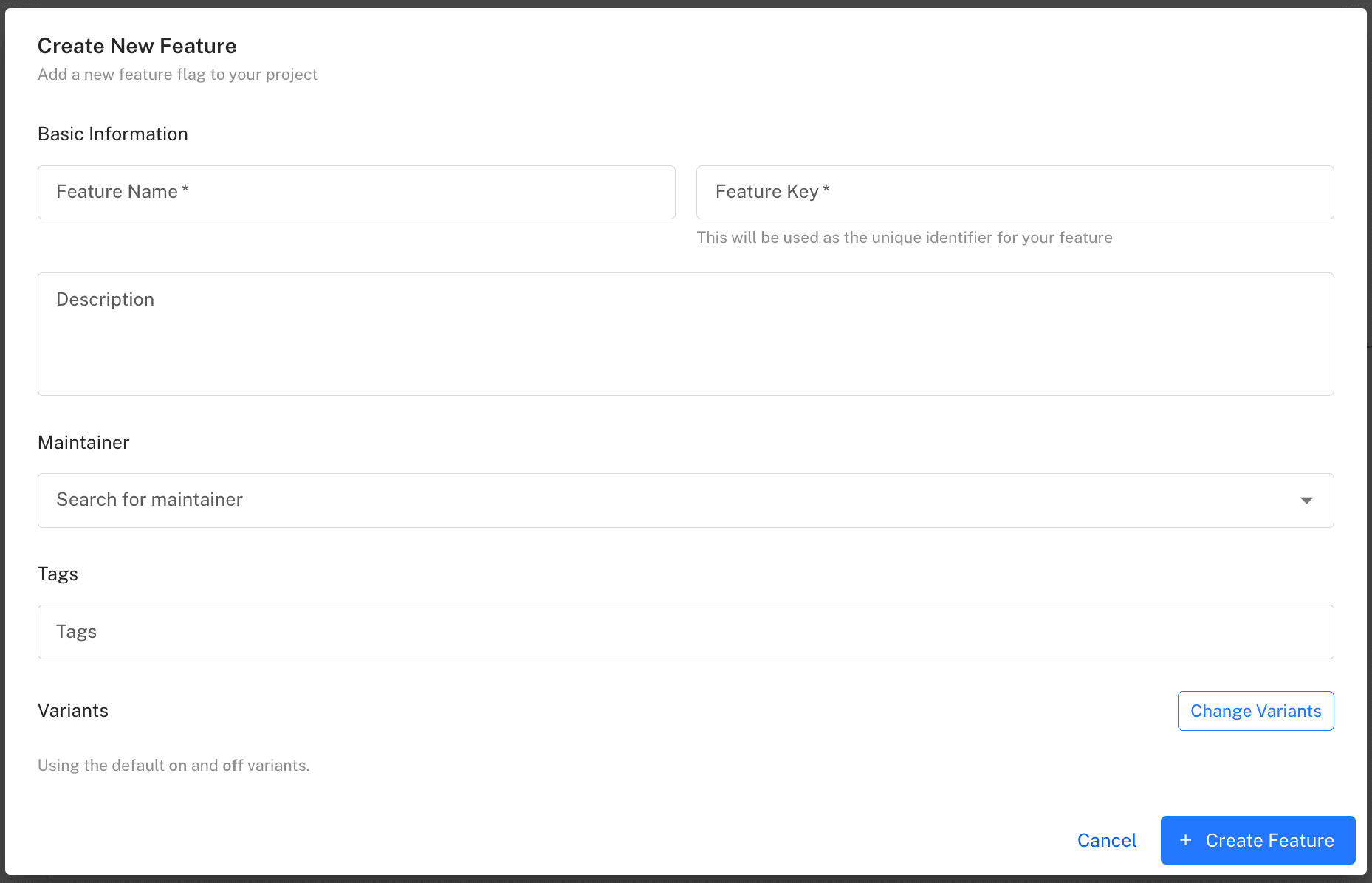
From there, explore targeting, analytics, and team workflows - or see pricing (flat, per-project, no per-seat surprises).
Feature flag glossary
Quick definitions for the terms you'll meet across feature flag documentation and this site. Each entry is directly linkable - for example #kill-switch.
- Feature toggle
- Another name for a feature flag - the older term, popularised by Martin Fowler's writing on the technique. Feature flag, feature toggle, feature switch, and feature gate are interchangeable.
- Variant
- One of the values a flag can serve. Boolean flags have two variants (
on/off); multivariate flags can serve any number - useful for experiments with several treatments. - Targeting rule
- A condition that decides which variant a user receives, matched against user attributes like plan, country, role, or account ID. Rules are evaluated in order, per environment, and can be changed at any time without a deploy.
- Gradual rollout
- Also called a percentage rollout: serving a feature to a growing slice of users - 1%, 10%, 50%, 100%. Bucketing is deterministic by user ID, so each user gets a consistent experience as the rollout expands.
- Canary release
- Releasing to a small group of real users first and watching your metrics before rolling out further - the flag-native version of a canary deployment. See canary releases with feature flags.
- Dark launch
- Deploying a feature to production switched off, or visible only to internal users. The code integrates and runs in the real environment while staying invisible to customers.
- Kill switch
- A long-lived operational flag wrapped around a risky feature or third-party dependency so it can be disabled instantly during an incident. See feature flag kill switches.
- Multivariate flag
- A flag with more than two variants - for example
control,variant-a,variant-b- used for experiments and anything beyond a simple on/off decision. - Failover variant
- The variant a flag evaluates to when no rules are available - for example, if the SDK has never been able to connect. Defined in code at flag creation so behaviour is always deterministic.
- Flag debt (stale flags)
- Flags left in the codebase after their purpose is served. Each one adds a dead code path and testing overhead. The cure is routine flag hygiene: owners, expiry expectations, and cleanup after full rollout.
- Trunk-based development
- A workflow where everyone merges small changes to main frequently and unfinished features are hidden behind flags instead of long-lived branches. See trunk-based development with feature flags.
- Evaluation
- Resolving a flag to a variant for a specific user at runtime, by checking the user's attributes against the flag's targeting rules. Server-side SDKs evaluate locally in memory; client-side SDKs receive pre-evaluated results.
Frequently asked questions
What is the difference between a feature flag and a feature toggle?
Nothing - they are two names for the same technique. "Feature toggle" is the older term, popularised by Martin Fowler's writing on the topic; "feature flag" is what most teams and vendors say today. You may also hear "feature switch" or "feature gate."
Do feature flags slow down my application?
Not meaningfully. Server-side SDKs like the Featureflow Node.js SDK evaluate flags locally against an in-memory copy of your rules, so an evaluation is a function call, not a network request. Client-side SDKs load rules once from a globally distributed CDN and cache them locally. Rule changes stream to connected SDKs in real time.
What happens if the feature flag service goes down?
Your application keeps working. Featureflow SDKs cache flag rules locally at startup, so existing rules continue to apply during an outage. Every flag also has a failover variant defined in code - if the SDK has never been able to connect at all, evaluations fall back to that value instead of failing.
Aren't feature flags just if statements?
The if statement is the easy part. What a flag adds is where the decision comes from: a rule you can change at runtime, target to specific users or percentages, audit, and share across every service and platform in your stack - without a code change or redeploy. A hard-coded conditional or config file gives you none of that.
How do I stop feature flags becoming technical debt?
Treat release flags as temporary from day one: use a clear naming convention, assign each flag an owner, and remove the flag and the old code path once a rollout reaches 100%. Featureflow shows when each flag was last evaluated, which makes stale flags easy to find and retire.
Should I build my own feature flag system or use a platform?
A homegrown database toggle works for one team and a handful of boolean flags. You outgrow it when you need percentage rollouts, user targeting, multiple environments, audit trails, or flags shared across services and client apps - rebuilding those is undifferentiated work. A platform like Featureflow provides them out of the box with SDKs for each language.
Ship your first flag today
Start free with Featureflow - decouple deploy from release in minutes, with SDKs for Node.js, React, Java, and more.
Start Now (Free)